Casio TE-3000S User's Manual
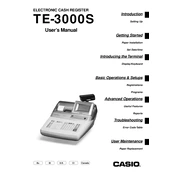
Casio TE-3000S Cash Register manual cover
Pages 120
Year 0
Language(s)
English en

Casio TE-3000S Cash Register Specification

The Casio TE-3000S Cash Register is a versatile point-of-sale solution designed for medium-sized retail operations. It features a robust thermal printer capable of delivering high-speed receipts with clear, detailed printouts, ensuring efficient customer transactions. The register is equipped with a large, multi-line LCD operator display, enabling easy reading and navigation through menus and transaction details. Additionally, it includes a rear customer display for transaction transparency.

The TE-3000S supports up to 20,000 PLUs (Price Look-Ups), allowing extensive inventory management and quick item access. It is designed with a comprehensive keyboard layout, featuring 72 programmable keys to facilitate customized operation and quick access to frequently used functions. The cash register is compatible with various peripherals, including barcode scanners and external printers, enhancing its adaptability to diverse retail environments.

Connectivity is supported through serial ports, enabling seamless integration with other devices and systems. The register offers efficient sales tracking and reporting capabilities, with options for daily, weekly, and monthly reports, aiding in effective business management and decision-making. Security is prioritized with controlled access features, including cashier assignment and password protection, ensuring that transactions are secure and traceable.

The TE-3000S boasts a sturdy construction suitable for the rigors of daily retail use, while its compact design allows for easy placement in limited counter spaces. Its user-friendly interface and comprehensive functionality make it an ideal choice for retailers seeking a reliable and efficient cash management solution. Overall, the Casio TE-3000S Cash Register combines advanced features with practical design to streamline retail operations and enhance customer service.

Casio TE-3000S Cash Register F.A.Q.

How do I perform a basic setup on the Casio TE-3000S Cash Register?

To perform a basic setup, first power on the register. Then, press the 'Mode' key to enter the programming mode. Follow the on-screen prompts to set the date, time, and tax rates. Use the manual for specific key sequences.

What should I do if the cash register does not turn on?

Check the power cable for secure connection to both the cash register and the power outlet. Ensure the outlet is functioning by testing with another device. If the register still does not turn on, consult a service technician.

How can I reset the Casio TE-3000S to factory settings?

To reset to factory settings, turn the key to the 'OFF' position, hold down the 'Feed' button while turning the key to 'PGM' mode. Continue holding the 'Feed' button until the reset process begins.

How can I change the paper roll on the Casio TE-3000S?

Open the printer cover, remove the empty paper roll, and insert a new roll with the paper feeding from the bottom. Close the cover and press the 'Feed' button to advance the paper.

What should I do if the cash register drawer is stuck?

Ensure there are no obstructions blocking the drawer. If the problem persists, use the manual release lever located under the register to open the drawer. Seek professional assistance if needed.

How do I program new departments into the Casio TE-3000S?

Enter the programming mode by turning the key to 'PGM'. Access the department settings and enter the department number, name, and tax status as prompted by the interface. Save changes before exiting.

How can I troubleshoot printing issues with the Casio TE-3000S?

Check that the paper roll is properly installed and not jammed. Ensure the printer cover is closed securely. If issues persist, verify printer settings in the programming mode.

What is the procedure for setting up tax rates on the Casio TE-3000S?

In programming mode, navigate to the tax rate setup. Enter the desired tax rate percentage and assign it to the appropriate department keys. Confirm and save the settings.

How do I perform a daily sales report on the Casio TE-3000S?

Turn the key to the 'Z' position for end-of-day reports. Press the 'Cash' button to print the daily sales report, which includes sales totals and transaction counts.

How can I back up the data on my Casio TE-3000S Cash Register?

Use the register's data backup function by connecting an external device via the provided port. Follow the on-screen instructions to export sales data and settings.