Casio 120CR User's Manual
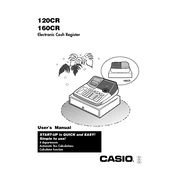
Casio 120CR Cash Register manual cover
Pages 36
Year 0
Language(s)
English en

Casio 120CR Cash Register Specification

The Casio 120CR Cash Register is designed to provide efficient and reliable point-of-sale solutions for small to medium-sized retail businesses. This model features a user-friendly interface with a clear, easy-to-read display, ensuring smooth operation for both staff and customers. It is equipped with a thermal printer that delivers fast and quiet receipt printing, minimizing wait times at checkout. The cash register supports up to 8 clerks, allowing for seamless operation in environments with multiple users. It includes functions for itemized sales tracking and department categorization, facilitating accurate sales analysis and inventory management.

The Casio 120CR offers a robust memory capacity, capable of storing detailed transaction records, which is essential for businesses requiring meticulous record-keeping. Additionally, it features a locking cash drawer with a three-position mode lock to enhance security, protecting against unauthorized access and potential theft.

In terms of connectivity, the 120CR includes a serial port, enabling integration with external devices like barcode scanners for improved transaction efficiency. The register is powered by an AC adapter and includes a battery backup system to prevent data loss during power outages, ensuring uninterrupted operation.

Designed with durability in mind, the Casio 120CR is constructed from high-quality materials, making it a reliable choice for bustling retail environments. Its compact size allows for easy placement on countertops without occupying excessive space. Overall, the Casio 120CR Cash Register combines essential features with a straightforward design, offering a cost-effective solution for businesses seeking an efficient and secure point-of-sale system.

Casio 120CR Cash Register F.A.Q.

How do I perform a basic setup of the Casio 120CR Cash Register?

To perform a basic setup, plug in the cash register, turn the mode key to the "REG" position, and input the date and time as prompted on the display.

What should I do if the cash register drawer won't open?

Ensure the mode key is in the correct position. If the issue persists, use the emergency release lever located underneath the register.

How can I reset the Casio 120CR to factory settings?

To reset to factory settings, turn the key to the "OFF" position, then press and hold the "C" key while switching to "PGM" mode. Release the "C" key when the display shows a reset confirmation.

How do I change the receipt paper roll?

Open the printer cover, remove the used paper roll, and insert a new roll ensuring the paper feeds from the bottom. Close the cover and press the feed button to advance the paper.

What is the procedure to program department keys?

Switch to "PGM" mode, press the department key, enter the price, and then press the "CA/AMT" key to save. Repeat for other departments as needed.

How do I troubleshoot if the display shows an "E" error code?

Turn the mode switch to "OFF" and then back to the desired mode. If the error persists, check the manual for specific error codes and resolutions.

How can I print a sales report on the Casio 120CR?

Turn the mode key to "X" or "Z" position and press the cash button to print the report. "X" gives a reading report, while "Z" resets the totals after printing.

How do I replace the ink ribbon in the Casio 120CR?

Open the printer cover, remove the old ribbon by lifting it out, and install the new ribbon by aligning it with the guides. Ensure it is taut by turning the knob on the ribbon spool.

What maintenance steps should be taken to ensure the longevity of the cash register?

Regularly clean the exterior with a soft cloth, replace the ink ribbon and paper as needed, and ensure the cash register is kept away from moisture and extreme temperatures.

How can I correct a wrong entry during a transaction?

Press the "VOID" button to cancel the last entry or transaction, then re-enter the correct information.