Casio 140CR User's Manual
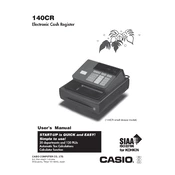
To change the paper roll, open the printer cover, remove the empty roll, insert a new roll with the paper coming from the bottom, and close the cover. Ensure the paper feeds correctly through the printer.
Refer to the user manual for specific error codes. Common solutions include clearing the error by turning the key to the "OFF" position, checking for paper jams, or resetting the machine.
To reset the register, turn the key to the "P" position, press and hold the "CLEAR" button, and then power on the register. Release the "CLEAR" button when you see the reset confirmation.
Turn the key to the "P" position, enter the tax number, press "TAX PGM", input the new rate, and then press "SUBTOTAL" to save the changes.
Turn the key to the "Z" position and press "CASH" to print the daily sales report. Ensure the paper roll is correctly loaded before proceeding.
Switch the key to the "P" position, press "2", followed by "SUBTOTAL", enter the date and time in the format MMDDYY and HHMM, then press "CASH" to confirm.
Check for any physical obstructions, ensure the register is plugged in and powered on, and try using the emergency release lever. If issues persist, consult a technician.
In the "P" mode, use "DEPT SHIFT" to select a department. To add, enter the price and press "DEPT". To delete, select the department and press the "VOID" button.
Turn the key to the "OFF" position, hold down the "CLEAR" button, and turn back to "P". This clears all programmed settings and data.
Regularly check and replace the paper roll, clean the exterior and keys with a soft cloth, and ensure the cash drawer functions smoothly. Avoid liquids and ensure the register is stored in a dry environment.