Casio SES400 User's Manual
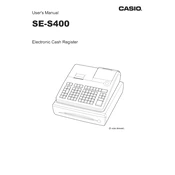
Casio SES400 Cash Register manual cover
Pages 110
Year 0
Language(s)
English en

Casio SES400 Cash Register Specification

The Casio SES400 Cash Register is designed for small to medium-sized retail businesses, offering a blend of functionality and efficiency. This model features a user-friendly interface with a large, clear LCD display, enabling easy interaction for both operators and customers. It supports up to 3,000 PLUs (Price Look-Ups) and can manage up to 25 clerks, making it suitable for a variety of business environments. The register is equipped with a fast, quiet thermal printer that supports alphanumeric receipts, providing a professional touch to transactions. It includes a multi-purpose cash drawer with four bill compartments and five coin slots, ensuring organized and secure cash management. The SES400 offers various connectivity options, including an SD card slot for data backup and program uploading, which facilitates seamless data management and reporting. The register is designed with robust security features, including manager control for voids and returns, and a locking cash drawer to safeguard financial operations. Additionally, it supports multiple payment methods including cash, credit, and debit, offering flexibility to customers. The Casio SES400 is built with durable materials to withstand daily use, making it a reliable choice for retailers seeking an efficient, cost-effective cash management solution. The compact design allows it to fit comfortably in limited counter spaces, while the intuitive software simplifies training and operation, reducing the learning curve for new staff. Overall, the Casio SES400 Cash Register combines essential features and ease of use, tailored to enhance retail business operations.

Casio SES400 Cash Register F.A.Q.

How do I program a new product into the Casio SES400 cash register?

To program a new product, turn the key to the 'PRG' position, press 'PLU', enter the product number, and press 'CA/AMT'. Enter the price and then press 'CA/AMT' again. Finally, assign a department and press 'CA/AMT' to save.

What should I do if the register is not turning on?

Ensure the power cord is securely connected to both the register and the outlet. Check the outlet by plugging in another device. If it still doesn't work, inspect the power cord for damage or try a different outlet.

How can I reset the Casio SES400 to factory settings?

To reset to factory settings, turn the key to 'OFF' position, hold down the 'FEED' key, and turn the key to 'PGM' while holding the 'FEED' key. Release the 'FEED' key after a few seconds. Note: This will erase all programmed data.

How do I change the paper roll in the Casio SES400?

Open the printer cover by lifting it up. Remove the empty paper roll and place a new roll in the compartment. Feed the paper through the printer, ensuring it is aligned correctly, and close the cover.

How can I print a sales report on the Casio SES400?

Turn the key to the 'Z' position and press the 'CASH' button. The register will print a Z report, which includes sales totals and other financial data.

What is the procedure for correcting an error message on the display?

Most error messages can be cleared by pressing the 'CANCEL' key. If the problem persists, turn the key to the 'OFF' position, wait a few seconds, and then turn it back to its original position.

How do I set the date and time on the Casio SES400 cash register?

Turn the key to the 'PRG' position. Enter the current date in the format MMDDYYYY and press 'SUBTOTAL'. Then enter the time in 24-hour format and press 'X/TIME'.

What maintenance steps should I regularly perform on my Casio SES400?

Regularly clean the keyboard and exterior with a soft, damp cloth. Check that the paper roll is installed correctly and replace it as needed. Inspect the power cord for wear and tear.

How can I troubleshoot a printer jam in the Casio SES400?

Turn the register off and open the printer cover. Gently remove the jammed paper, making sure not to tear it. Reinstall the paper roll and ensure it is properly aligned before closing the cover.

How do I change the tax rate on the Casio SES400 cash register?

Turn the key to 'PRG', press '3', then 'SUBTOTAL'. Enter the tax rate using the numeric keypad and press 'TAX', then 'SUBTOTAL' to confirm the new rate.