Casio TE-2000 User's Manual
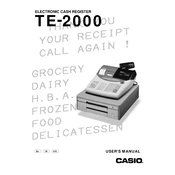
To perform a basic reset, turn the key to the 'OFF' position, unplug the machine, hold down the 'CLEAR' button, and plug the machine back in while continuing to hold the 'CLEAR' button until the display shows '0.00'.
To change the paper roll, open the printer cover, remove the old roll, place a new roll into the holder, and feed the paper through the slot until it appears at the top. Close the cover and press the 'FEED' button to advance the paper.
Refer to the user manual for specific error codes. Generally, turning the key to the 'OFF' position, then back to 'REG' can clear many errors. If the issue persists, consult a technician.
Turn the key to 'PGM', press '3', then 'SUBTOTAL', enter the PLU number, press 'PLU', enter the price, and press 'CASH'. Repeat for additional items, then press 'SUBTOTAL' to finish.
Turn the key to 'Z', press 'CASH' to print a report that resets daily totals, then turn the key to 'OFF'.
Open the printer cover, lift out the old ribbon cartridge, place the new ribbon cartridge in the holder, and make sure it is properly aligned before closing the cover.
Yes, the Casio TE-2000 supports connecting a barcode scanner through the designated port. Consult the user manual for specific setup instructions.
Turn the key to 'PGM', enter the current date in the format DDMMYY, press 'DATE/TIME', enter the time in 24-hour format, and press 'CASH' to save.
Check for jammed coins or bills, ensure the register is plugged in and has power, and try opening it manually using the emergency release lever located under the register.
Yes, press 'RECEIPT ON/OFF' to enable receipt printing, then press 'CASH' to print a duplicate of the last transaction.