Casio SE-C450 Quick Start Guide
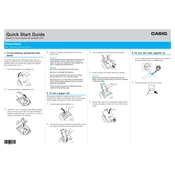
Casio SE-C450 Cash Register manual cover
Pages 2
Year 0
Language(s)
English en

Casio SE-C450 Cash Register Specification

The Casio SE-C450 Cash Register is designed to meet the needs of small to medium-sized retail businesses, offering a blend of functional efficiency and modern design. It features a user-friendly interface with a 72-key flat keyboard, allowing for easy programming and quick access to frequently used functions. The cash register is equipped with a large multi-line LCD operator display, which provides clear visibility of transaction details and operational messages, enhancing user interaction.

The SE-C450 also includes a customer display, ensuring transparency during transactions. It supports up to 3,000 PLUs (Price Look-Ups), allowing businesses to efficiently manage a wide range of products. The register's two-station thermal printer delivers fast and quiet receipt printing, incorporating graphic logo printing capabilities to personalize receipts. With four tax tables, it accommodates various tax configurations, making it adaptable to different regional tax requirements.

The cash register is equipped with an SD card slot for data backup and transfer, ensuring secure and efficient management of sales data. Its sturdy cash drawer features five bill compartments and eight coin compartments, offering ample space for organized cash management. Additionally, the SE-C450 supports various payment methods, including cash, credit, and debit transactions, providing flexibility to accommodate customer preferences.

The Casio SE-C450 Cash Register combines practicality with advanced features, making it a reliable choice for retailers seeking a comprehensive point-of-sale solution that enhances operational efficiency and customer service.

Casio SE-C450 Cash Register F.A.Q.

How do I change the paper roll in the Casio SE-C450?

To change the paper roll, first turn off the cash register. Open the printer cover, remove the old paper roll, and insert a new roll with the paper coming from underneath. Feed the paper into the printer until it appears at the top, then close the cover and turn the register back on.

What should I do if the cash register display shows an error code?

Refer to the user manual for specific error codes. Often, errors can be resolved by turning the register off, checking connections, and then turning it back on. If problems persist, contact Casio support.

How can I program a new item with a price and description on the Casio SE-C450?

Enter the programming mode by turning the key to 'PRG'. Use the function keys to navigate to the item setup menu, then input the item's PLU code, description, and price. Save the settings before exiting.

How do I perform a daily sales report on this cash register?

To perform a daily sales report, turn the mode key to 'Z', and then press the 'CASH' button. The cash register will print the report detailing total sales and transactions for the day.

What is the procedure to reset the Casio SE-C450 to factory settings?

To reset to factory settings, turn the key to the 'OFF' position. Press and hold the 'FEED' button while turning the key to 'PGM'. Release the 'FEED' button when the register beeps. Note that this will erase all data.

How do I change the date and time on the Casio SE-C450?

Turn the key to 'PGM'. Press '3', then 'SUBTOTAL'. Enter the current date in the format YYMMDD, then press 'X/TIME'. Enter the current time in 24-hour format, and press 'CASH' to save.

How can I troubleshoot the printer not working?

Ensure the printer cover is closed properly and the paper roll is installed correctly. Check for any paper jams. If the issue persists, inspect the printer connections and reset the cash register.

Is it possible to connect the Casio SE-C450 to a computer for data management?

Yes, the Casio SE-C450 can be connected to a computer via USB for data transfer and management. Ensure you have the necessary software installed on your computer for proper communication.

How do I back up the data on my Casio SE-C450?

To back up data, use the USB port to connect the cash register to a computer. Use the Casio data management software to export and save your data to the computer.

What maintenance is needed to keep the Casio SE-C450 in good working condition?

Regularly clean the exterior with a soft, damp cloth. Check the printer and keyboard functionality regularly. Replace the paper roll and ink cartridge as needed, and ensure the cash drawer operates smoothly.