Casio TK-810 Instruction Manual
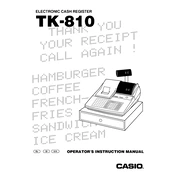
Casio TK-810 Cash Register manual cover
Pages 116
Year 0
Language(s)
English en

Casio TK-810 Cash Register Specification

The Casio TK-810 Cash Register is a versatile and efficient point-of-sale solution designed for small to medium-sized businesses. It features a robust construction with a user-friendly interface to streamline transaction processes. The cash register is equipped with a high-speed thermal printer, capable of producing clear and durable receipts, ensuring quick customer service. It supports a raised keyboard with 30 department keys, allowing for easy access to frequently used items and enhanced operational efficiency.

The TK-810 offers a multi-line LCD display that provides clear visibility for both operators and customers, facilitating straightforward transaction monitoring. Its advanced sales reporting capabilities enable detailed analysis of sales data, inventory management, and financial tracking, making it a valuable tool for business insights. The register supports up to eight clerks or operators, accommodating different users with secure log-in functionality to maintain transaction integrity.

Connectivity options include serial ports for peripheral devices such as barcode scanners and scales, enhancing its adaptability in various retail environments. The cash register also includes a secure, lockable cash drawer with ample space for bills and coins, ensuring organized cash handling. Additionally, it offers programmable tax tables and discount functions to meet diverse transactional requirements.

The Casio TK-810 is designed with energy efficiency in mind, featuring a power-saving mode to reduce operational costs. Its compact design allows for easy integration into limited spaces while maintaining a professional appearance. Overall, the TK-810 combines reliable performance with essential features, making it an ideal choice for businesses seeking a cost-effective and dependable cash management solution.

Casio TK-810 Cash Register F.A.Q.

How do I program a new department key on the Casio TK-810?

To program a new department key, turn the control key to the "PRG" position, press the department key you wish to program, enter the price using the numeric keypad, and press the "CA/AMT" key to save the setting.

What steps should I follow to perform a daily sales report?

Turn the control key to the "Z" position and press the "CASH" button. The register will print out the daily sales report, including totals for each department.

How can I resolve a "Paper Jam" error on the Casio TK-810?

To resolve a paper jam, open the printer cover, gently remove any jammed paper, and ensure the paper roll is correctly positioned. Reinstall the paper and close the cover.

What should I do if the cash register is not turning on?

Check the power connection to ensure it is securely plugged into an outlet. Verify that the outlet is working by plugging in another device. If the problem persists, check the power cord for damage.

How do I change the receipt paper on the TK-810?

Open the printer cover, remove the empty roll, and insert a new roll with the paper feeding from the bottom. Pull the paper through the printer mechanism and close the cover securely.

Can I reset the Casio TK-810 to factory settings?

Yes, turn the control key to the "PRG" position, press "3," then "SUBTOTAL." This will reset the register to factory settings, but all programmed data will be erased.

How can I update the date and time on my cash register?

Turn the control key to the "PRG" position, press "1," enter the new date in the format MMDDYY, press "TIME," enter the time in 24-hour format, and press "SUBTOTAL" to save.

What should I do if the register displays an "E01" error code?

The "E01" error indicates an incorrect operation. Press the "C" key to clear the error, and review the operation manual to ensure the correct procedure is followed.

How do I set up tax rates on the Casio TK-810?

Turn the control key to the "PRG" position, press "2," enter the tax rate as a percentage without the decimal point, and press the "TAX" key followed by "CA/AMT" to save.

What maintenance should be regularly performed on the TK-810?

Regularly clean the exterior with a soft, dry cloth, check for paper jams, replace the receipt paper as needed, and ensure all keys are functioning properly. Perform a backup of sales data if applicable.